Mouse & aim settings
Keep mouse input predictable. Avoid unnecessary filtering and Windows pointer acceleration. A starting configuration can use raw input where the client supports it, then tune sensitivity gradually rather than changing it every session.
sensitivity 2.0
m_filter 0
zoom_sensitivity_ratio 1.0
FPS & performance
Stable frame pacing matters more than chasing a huge FPS number. A classic starting point is an FPS cap around 100, although higher caps can be appropriate for some modern setups and clients. Disable V-Sync if you want to avoid an extra synchronization layer.
fps_max 100
fps_override 1
gl_vsync 0
Network settings
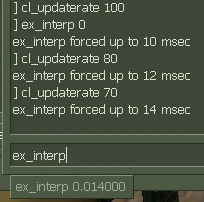
For online CS 1.6, rates should match what the server accepts. A commonly used starting point is rate 25000, cl_cmdrate 101, cl_updaterate 101 and ex_interp 0.01. If a server enforces different values, follow the server's settings instead.
rate 25000
cl_cmdrate 101
cl_updaterate 101
ex_interp 0.01
Crosshair
A small, static crosshair is easy to read and keeps your visual reference consistent. Bright colors can help against darker maps, but choose a color that remains visible without distracting you.
cl_crosshair_size small
cl_dynamiccrosshair 0